A hacked WordPress site can show spam pages, strange redirects, unknown users, or malware warnings. The first step is to contain the damage before changing files or restoring anything. Then create a backup, remove the infection, close the security hole, and update every trusted component. Finally, check Google Search Console and secure every account connected to your website.
If you need to know How to Fix Hacked WordPress, follow the steps below in order. This guide explains what to check, what to clean, and when expert help is safer.
How to Know If Your WordPress Website Is Hacked
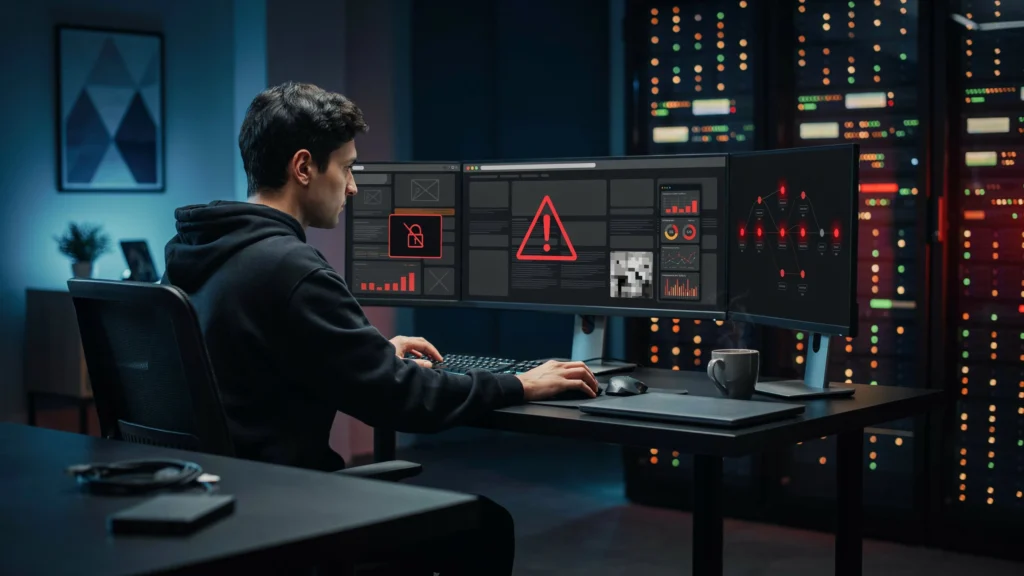
Not every WordPress error means your site has been hacked. A plugin conflict can also break your website. However, certain signs are strong indicators of compromise.
Watch for:
- Unexpected redirects to unrelated websites
- New administrator accounts you did not create
- Spam posts, pages, or links
- Unknown PHP or JavaScript files
- Strange pop-ups or browser warnings
- Sudden changes to your homepage
- Google showing spam URLs from your domain
- Your hosting company reporting malware
- A sudden drop in traffic after security warnings
- Your website sending emails you did not send
WordPress also lists unauthorized users, malware warnings, blacklisting, and unexpected website behavior as possible signs of a hack. If you are thinking, “my WordPress has been hacked,” do not start deleting random files. You may remove evidence or damage the site further.
Take Your Hacked Website Offline
If visitors are being redirected to dangerous pages, reduce public access while you investigate. You can place the website in maintenance mode or ask your hosting provider to temporarily restrict access. Avoid repeatedly opening suspicious URLs in your normal browser. This step protects visitors while you work. It also gives you time to inspect the site without making rushed changes.
If the site only has a fatal WordPress error, Recovery Mode may help. WordPress can pause a faulty plugin or theme for your admin session and let you troubleshoot the problem.
Create a Complete Backup
Before cleaning anything, create a snapshot of the current site.
Save:
- WordPress files
- The database
- wp-content
- Uploads
- Theme files
- Plugin files
- Server logs, if available
Keep this infected backup separate from your clean backups. It can help you compare files and understand what changed.
Also check whether your hosting company has an older backup. A backup created before the attack may be the safest recovery option.
WordPress recommends regular backups of both website files and the database because they can help with recovery after a compromise.
Change All Important Passwords
Do not change only your WordPress admin password.
Change passwords for:
- WordPress administrator accounts
- Hosting or cPanel
- FTP and SFTP
- Database users
- Domain registrar
- Website email accounts
- Cloud services
- Connected APIs
Use long, unique passwords for each service. Enable two-factor authentication where available.
If an attacker still has access to your hosting or email account, cleaning WordPress alone may not solve the problem.
Identify How the WordPress Site Was Hacked
Cleaning the infection is only half the job. You also need to close the entry point.
Common causes include:
Outdated WordPress
Older software may contain known security problems. WordPress recommends keeping the core software updated because old versions can remain exposed to known vulnerabilities.
Vulnerable Plugins or Themes
A plugin can introduce a security weakness even when WordPress itself is updated.
Remove abandoned, unused, or untrusted plugins. Only download themes and plugins from trusted sources.
Weak or Stolen Passwords
A compromised administrator account can give an attacker powerful access. Review all users and remove accounts you do not recognize.
Nulled Plugins and Themes
Pirated software is a major security risk. Malicious code can be hidden inside files that appear to work normally.
Compromised Hosting
If several websites on the same hosting account show similar infections, the problem may extend beyond one WordPress installation.
Scan WordPress for Malware
Run a reputable malware and integrity scan before deleting suspicious files.
A useful scan should look for:
- Modified WordPress core files
- Malicious PHP code
- Suspicious JavaScript
- Unknown files
- Backdoors
- Changed plugins
- Strange administrator accounts
- Injected redirects
Do not assume that one scan proves the website is clean. Some backdoors are hidden and may not appear in a simple front-end scan. If your hosting provider offers server-side malware scanning, ask them to check the account as well.
Remove Malicious Files and Code
Now comes the most important part of the cleanup.
If you have a verified clean backup, restoring it can be safer than manually editing hundreds of infected files. Google also recommends replacing affected files with a known-good backup when appropriate.
If no clean backup exists, replace WordPress core files with fresh copies from the official WordPress source. Review plugins and themes carefully instead of keeping modified versions.
Check common areas such as:
- wp-content/plugins
- wp-content/themes
- wp-content/uploads
- wp-config.php
- .htaccess
- Core WordPress files
Do not blindly delete every unfamiliar file. Some plugins create legitimate files. Compare suspicious files with trusted versions before removing them.
Also check for hidden backdoors. A site that looks normal can still contain code that recreates the malware after cleanup.
Reinstall WordPress, Plugins and Themes
Once the infection has been identified, reinstall trusted software. Update WordPress to the current supported release. Reinstall compromised plugins and themes from their official sources instead of simply overwriting suspicious files.
Delete plugins and themes you no longer use.
A clean setup should contain only software you need and trust. If a plugin has been abandoned or has a known security problem, replace it with a maintained option. Keeping unnecessary software increases the number of possible attack paths.
Check the WordPress Database
Malware does not always live inside website files.
Review the database for:
- Unknown administrator accounts
- Spam posts
- Hidden links
- Strange options
- Modified site settings
- Unexpected scripts
- Suspicious user metadata
Be careful when editing database tables. A small mistake can break the website. Take a fresh backup before making database changes. If you are not comfortable using phpMyAdmin or SQL, ask your hosting provider or a WordPress security professional for help.
Check Google Search Console
After cleaning the website, open Google Search Console and check the Security Issues report. Google may identify hacked content, malware, phishing, or other harmful behavior. Its report can provide sample affected URLs, but Google warns that the examples may not represent every affected page.
Also check:
- Security Issues
- Manual Actions
- Indexing
- URL Inspection
- Sitemap status
If Google displays a “This site may be hacked” warning, fixing only the visible spam pages is not enough. You need to clean the entire site and fix the cause of the infection. After the full cleanup, request a security review in Search Console. Google says the review can take from a few days to a few weeks.
Secure WordPress After Cleaning
Once the website is clean, secure it before restoring normal traffic.
Use these measures:
- Enable two-factor authentication
- Use strong administrator passwords
- Remove unused admin accounts
- Remove inactive plugins and themes
- Keep WordPress updated
- Keep PHP supported and updated
- Use regular off-site backups
- Limit unnecessary administrator access
- Use HTTPS
- Monitor login activity
- Run regular malware scans
WordPress recommends strong passwords and additional authentication measures as part of its security guidance.
Check Your Hosting Account
Your WordPress dashboard is not the only place an attacker may leave access.
Review your hosting account for:
- Unknown FTP users
- New email accounts
- Suspicious cron jobs
- Unknown databases
- Strange files outside WordPress
- Changed DNS settings
- Unexpected server tasks
Ask your hosting provider to review access logs if the attack keeps returning. If several sites share one hosting account, check them all. Cleaning only one infected website may leave another compromised site capable of spreading the problem again.
How to Prevent WordPress From Getting Hacked Again
Prevention starts with simple maintenance. Update WordPress, plugins, and themes regularly. Remove software you no longer need. Use strong passwords and two-factor authentication. Keep several backups instead of relying on one copy. Do not install pirated themes or plugins. Use trusted sources and check whether a plugin is actively maintained before installing it. You should also monitor your website after cleanup. A site that becomes infected again within days may still have an open security hole.
If you want to build stronger WordPress skills, WordPress Courses in Rawalpindi can help you learn WordPress setup, maintenance, security basics, and website management in a practical way. LocalPro1 Institute can be a useful learning option for beginners who want hands-on WordPress training.
When Should You Hire a WordPress Security Expert?
Not every hack should be cleaned manually.
Get professional help when:
- You repeatedly remove malware and it returns
- You lost administrator access
- Multiple websites are infected
- The server may be compromised
- Important customer data may be exposed
- Google continues showing security warnings
- You cannot identify the backdoor
- You are unsure which files are safe
A professional can inspect logs, compare files, review database changes, and look for persistence mechanisms. The goal is not only to make the homepage work again. The goal is to remove the attacker’s access and prevent another infection.
A Simple Recovery Checklist
If your my WordPress site has been hacked, use this order:
- Restrict public access.
- Create a full backup.
- Change every important password.
- Identify the likely entry point.
- Scan files and the database.
- Remove malicious code.
- Restore clean files when possible.
- Update WordPress and trusted software.
- Check hosting accounts and logs.
- Review Google Search Console.
- Secure the website.
- Monitor it after recovery.
This process is safer than deleting random files and hoping the problem disappears.
Conclusion
Knowing How to Fix Hacked WordPress is about more than removing visible spam. You need to find the infection, protect the site, remove malicious code, close the security hole, and check every connected account. If you take the process step by step, many hacked WordPress websites can be recovered. Start with a backup, use trusted software, review Search Console, and do not ignore repeated reinfections.
If your WordPress website has been hacked or you need help securing it, contact LocalPro1 Institute today for professional guidance and practical WordPress support.
FAQs
Can a hacked WordPress website be recovered?
Yes. Many hacked WordPress websites can be recovered through a clean backup, malware removal, software replacement, password changes, and security hardening. The correct approach depends on how the site was compromised.
How do I know if my WordPress site has been hacked?
Look for unknown users, spam pages, redirects, strange files, malware warnings, or unexpected changes. Google Search Console can also report security issues found on your website.
Should I delete WordPress and reinstall it?
Not always. If core files are compromised, replacing them with clean copies can help. Your database, uploads, plugins, themes, and server files still need separate checks.
Can a WordPress site get hacked again after cleaning?
Yes. Reinfection often happens when the original security weakness remains open. Update vulnerable software, remove compromised components, change credentials, and secure the hosting account.
Does Google remove a hacked-site warning automatically?
Google can reevaluate a cleaned website, but site owners should request a security review after fixing all reported issues. Google says reviews can take several days to a few weeks.
Will fixing a hack restore my SEO?
Cleaning the hack removes a major technical problem, but rankings may not immediately return. Google needs to recrawl and reassess affected pages. Continue publishing useful content and maintain a healthy, accessible website.
Is there a special SEO method for AI Overviews?
No special AEO trick guarantees inclusion. Google says the same strong SEO foundations apply to AI Overviews and AI Mode. Helpful, original, reliable content and good technical accessibility remain important.
How can I make my WordPress website safer?
Keep software updated, use trusted plugins, enable two-factor authentication, use strong passwords, maintain separate backups, remove unused software, and monitor the website for unusual activity.