
Local SEO helps businesses appear in nearby searches on Google Search and Google Maps. It helps customers find local services, check reviews, and contact businesses. You do not always need a website to reach these customers. A well-maintained Google Business Profile, honest customer reviews, and accurate business listings can support your local visibility. These steps are useful for small businesses, shops, and service providers with limited budgets.
Can You Do Local SEO Without a Website? Yes, you can. Start by setting up your Google Business Profile, keeping your details correct, and earning genuine customer reviews. These steps can help people discover your business online.
Can You Do Local SEO Without a Website?
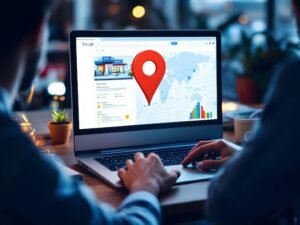
Yes, local SEO without a website is possible. Google can show eligible business profiles in local search results and on Google Maps. Customers can view your business details, read reviews, check opening hours, and contact you where those options are available.
For example, imagine you run a plumbing service in Rawalpindi. You can create an eligible Google Business Profile, add your service area, list your services, and share your phone number. Someone searching for a plumber nearby may discover your profile without visiting a website.
However, a profile does not guarantee high rankings. Your business must meet Google’s eligibility rules, and your information must be accurate. A website can provide extra information and more ways to attract customers, but it is not a basic requirement for local SEO.
How to Do Local SEO Without a Website
You can improve your local online presence by focusing on these practical steps.
1. Create and Optimize Your Google Business Profile
Google Business Profile is one of the most useful tools for local businesses. Eligible businesses can manage how their details appear on Google Search and Maps without paying for the profile itself.
To set up your profile:
- Enter your real business name.
- Choose the most accurate primary business category.
- Add your phone number and opening hours.
- List the services you provide.
- Upload clear photos of your work or premises.
- Complete Google’s verification process.
If you visit customers rather than serve them at your address, set up your profile as a service-area business where eligible. Hide your address if customers do not visit your business there.
Keep your information current. Do not add extra keywords to your business name unless they are genuinely part of its real-world name. Read the official Google Business Profile Help for setup and eligibility guidance.
2. Get Genuine Customer Reviews
Reviews help potential customers understand the quality of your service. They can also contribute to your business’s prominence in local search.
Ask customers to leave honest reviews after a completed job or purchase. You can share your Google review link by text or email. Never buy reviews, post fake feedback, or offer rewards in exchange for positive reviews.
Respond to reviews in a calm, helpful way. Thank customers for positive feedback and address complaints without sharing private details.
For example, a local electrician can thank a customer for mentioning a timely repair. A thoughtful response shows other people that the business values its customers.
3. List Your Business in Relevant Online Directories
Business directories can help people find your services outside Google. Depending on your location and industry, useful options may include established local directories, trade associations, and trusted service platforms.
Keep these details consistent wherever you list your business:
- Business name
- Address, when publicly applicable
- Phone number
- Business category
- Opening hours
This information is often called NAP, which means name, address, and phone number. Consistent details help customers identify the right business and reduce confusion.
Choose directories that people actually use. Avoid adding your business to hundreds of low-quality sites just to build links.
4. Use Social Media to Reach Local Customers
Social media can help your business build recognition without a website. Create a business page on platforms that your customers use, such as Facebook or Instagram.
Add your location, contact details, opening hours, and service information. Share photos of completed work, useful tips, customer feedback, and updates about your services.
For example, a home cleaning business can post room-cleaning tips and before-and-after photos with customer permission. People in the area can learn about its services and contact the business directly.
Social media activity does not replace a Google Business Profile. Use both channels to give customers more ways to discover and contact you.
5. Keep Your Business Information Updated
Outdated details can cause lost calls, missed appointments, and poor customer experiences. Review your business listings regularly and update them when your hours, phone number, or services change.
Use your real business name and accurate details. Avoid creating multiple profiles for the same business at one location unless Google’s rules allow separate listings.
If your business moves, follow Google’s guidance for updating the profile. Accurate information helps customers reach the right place and supports a consistent online presence.
6. Share Useful Local Content
You can publish helpful content on your Google Business Profile, where supported, and on your social media pages. Share updates that answer common customer questions.
A local computer repair service might post advice about laptop care, common repair issues, or available services. A bakery could share product photos, seasonal offers, and holiday opening hours.
Keep posts useful and factual. Avoid repeating the same keyword in every post. Clear information helps people decide whether your business suits their needs.
How Does Google Rank Local Businesses Without a Website?
Google uses three main factors to help determine local search rankings: relevance, distance, and prominence. These factors apply to local results, whether or not a business has its own website.
- Relevance: How well your business profile matches what someone searches for. Choosing the right category and listing accurate services can help.
- Distance: How far your business is from the person searching or the location they specify.
- Prominence: How well known your business appears to be. Reviews, links, and other information about your business can contribute.
For example, a customer searching for a nearby dentist may see profiles that match the service and location. A complete profile helps Google understand your business, but it cannot guarantee a top position.
What Are the Benefits of Local SEO Without a Website?
Local SEO can help small businesses build an online presence without the cost of creating and maintaining a website.
- Lower starting costs: You can use free business profiles and social media pages.
- Local visibility: Eligible businesses can appear in Google Search and Maps.
- Direct inquiries: Customers may call, request directions, or use available contact options.
- Customer trust: Accurate details, real photos, and honest reviews help people assess your business.
- Easy updates: You can change opening hours, services, and other profile details when needed.
- Better local reach: Directory listings and social media can introduce your business to more people nearby.
These benefits depend on your business type, profile eligibility, local competition, and the quality of your information. A free profile is a useful starting point, not a promise of new customers.
What Are the Limitations of Local SEO Without a Website?
Although local SEO can work without a website, relying only on third-party platforms has some drawbacks. You have less control over your online presence. Google and social media platforms decide how their pages look and which features are available. Their rules and tools can also change.
You have limited space for detailed information. A business profile may not provide enough room for long service guides, detailed pricing, or separate pages for each service.
You depend more on external platforms. If a profile is suspended or a platform changes its features, customers may have fewer ways to find you. Tracking can be limited. Business profiles provide useful performance data, but they do not offer the same level of website analytics and conversion tracking as a well-configured site.You can reduce these risks by keeping your contact details updated, following platform rules, and maintaining more than one reliable way for customers to reach you.
Is a Website Necessary for Local SEO?
No, a website is not necessary to begin local SEO. If you run a small business, start with an eligible Google Business Profile, accurate directory listings, and genuine customer reviews. A website becomes more useful when you want to explain services in detail, publish helpful articles, accept online bookings, or reach customers across several areas. It also gives you more control over your content and customer journey.
If you want to improve your SEO knowledge before building a website, explore SEO Courses In Rawalpindi at Localpro1 Institute. Practical training can help you understand local search, keyword research, and business profile optimization. The best approach is to start with the resources you have. Build a website when it supports your business goals, rather than assuming you must have one before beginning local SEO.
How Can You Measure Local SEO Results Without a Website?
You can track several useful signs of progress without owning a website. Review your Google Business Profile performance reports and the data available on other platforms.
Monitor these measures:
- Calls: Check whether customers are contacting your business more often.
- Direction requests: See whether people are asking for directions to your location, where applicable.
- Profile views and interactions: Review available profile performance data.
- Reviews: Track new reviews and the issues customers mention.
- Customer inquiries: Record calls, messages, bookings, and confirmed jobs.
- Local search visibility: Check whether your business appears for relevant searches in your service area.
Do not judge success by rankings alone. A profile may receive views without generating sales, so track real inquiries and completed jobs too. Compare results over several weeks or months, and note which changes lead to better outcomes.
Conclusion
Can You Do Local SEO Without a Website? Yes. You can start by creating an eligible Google Business Profile, collecting genuine reviews, keeping business details accurate, and sharing useful local content. These steps can help people discover your services through local searches. Track calls, inquiries, and customer feedback to understand what works. As your business grows, consider building a website to share more information and reach new customers.
Start with the methods that fit your budget and goals. Contact Localpro1 Institute today to learn more about SEO and improve your digital marketing skills.
FAQs
Can I rank on Google Maps without a website?
Yes. An eligible business can appear on Google Maps without a website. A complete profile, accurate details, relevant categories, and genuine reviews can support local visibility, but rankings are not guaranteed.
Is Google Business Profile free?
Yes. Google Business Profile is free to create and manage. Eligible businesses can use it to share contact details, opening hours, photos, and other business information on Google Search and Maps.
Can I do local SEO with only a Google Business Profile?
Yes. You can begin with your profile, customer reviews, accurate business listings, and social media pages. A website can provide extra benefits as your business grows.
How long does local SEO take to work?
There is no fixed timeline. Results depend on competition, your location, profile quality, and other ranking factors. Monitor your visibility and customer inquiries over time.
Do customer reviews help local SEO?
Reviews can contribute to local prominence and help customers assess your business. Ask for honest feedback and respond professionally. Never buy reviews or create fake ones.
Can a service-area business rank without showing its address?
Yes. Eligible service-area businesses can hide their address when they do not serve customers at their business location. They can set service areas according to Google’s profile guidelines.