

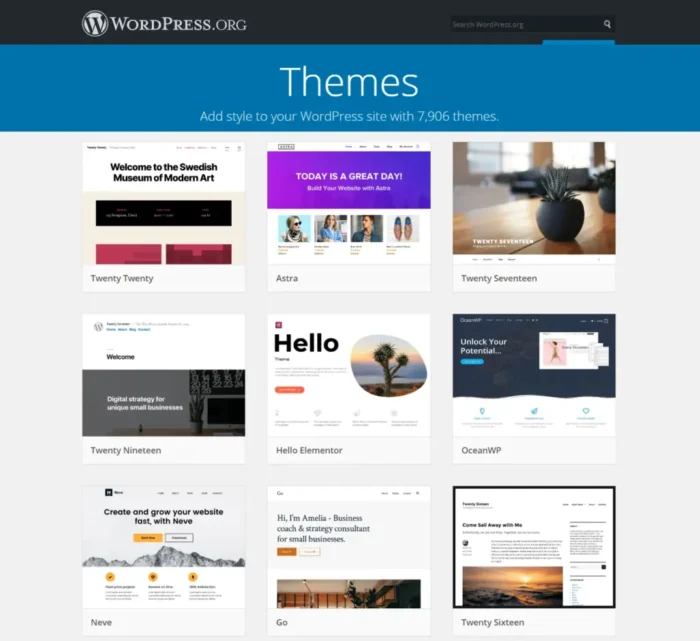
A generic template only goes so far before it starts limiting what a business actually wants its site to look and feel like. How to create custom theme in WordPress becomes the natural next question once a pre-built theme feels more like a compromise than a real fit.
Building a custom theme takes real planning, but it’s not out of reach for someone willing to follow the process step by step. This guide breaks down the files, structure, and actual steps involved, along with a no-code option for anyone not ready to write PHP.
Understanding Custom WordPress Theme Development
Custom WordPress theme development means building a theme from scratch instead of modifying an existing one. This gives complete control over design, layout, and functionality, without fighting against a pre-built theme’s built-in limitations.
A custom theme also tends to load faster than a bloated pre-built option, since it only includes exactly what the site actually needs, nothing extra sitting in the background slowing things down. This matters more than people expect once a site’s page speed starts affecting both user experience and search rankings.
What Are the Essential Files Needed for a Custom WordPress Theme?
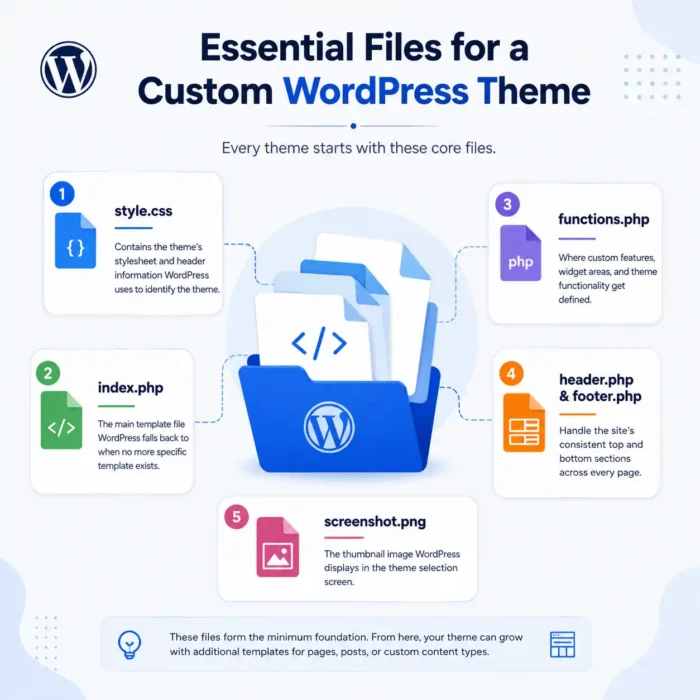
Every WordPress theme, even the simplest one, requires a specific set of core files to function correctly.
- style.css — contains the theme’s stylesheet and header information WordPress uses to identify the theme
- index.php — the main template file WordPress falls back to when no more specific template exists
- functions.php — where custom features, widget areas, and theme functionality get defined
- header.php and footer.php — handle the site’s consistent top and bottom sections across every page
- screenshot.png — the thumbnail image WordPress displays in the theme selection screen
These files form the minimum foundation, and creating a custom theme in WordPress almost always expands from here based on what the site actually needs, additional templates for pages, posts, or custom content types.
What Is the WordPress Template Hierarchy and How Does It Work?
WordPress decides which template file to load for a given page based on a specific order of priority, known as the template hierarchy. Understanding this hierarchy is one of the most important parts of custom WordPress theme development, since it determines exactly which file controls what content.
For example, WordPress looks for a specific template like single-post.php before falling back to the more general single.php, and eventually to index.php if nothing more specific exists. This layered system gives developers precise control over how different content types display, without needing separate code for every single page manually.
Read More: How to Setup WordPress on Xampp?
5 Steps to Develop a Custom WordPress Theme
Building a theme from scratch follows a fairly consistent process once broken into clear stages.
- Set up a local development environment — tools like Local or XAMPP let you build and test safely before going live
- Create the core theme files — style.css, index.php, and functions.php form the starting foundation
- Build out the template structure — header, footer, and page templates based on the site’s actual layout needs
- Add custom functionality through functions.php — widget areas, menus, and theme support features get registered here
- Test thoroughly across devices and browsers — responsiveness and cross-browser compatibility matter before launch
Following this WordPress theme creation guide in order prevents the common mistake of jumping into complex functionality before the basic structure actually works correctly.
How Much Does It Cost to Create a Custom WordPress Theme?
Costs vary significantly depending on complexity and who’s doing the work. A simple custom theme built by a freelance developer might run anywhere from $500 to $2,000, while a complex, feature-rich theme for a larger business site can climb well past $5,000 depending on functionality requirements.
Hiring an agency typically costs more than a freelancer but often includes ongoing support and revisions built into the price. Learning to create your own WordPress theme instead saves significant cost long-term, though it requires investing real time upfront to learn the fundamentals properly.
How to Build a WordPress Theme Without Code

Not everyone wants to write PHP and CSS from scratch, and that’s a completely reasonable position. Page builder plugins like Elementor or block-based themes using the WordPress Site Editor let users build a custom-looking theme visually, without touching a single line of code.
This approach trades some flexibility for accessibility, a no-code theme won’t offer quite the same level of control as a hand-coded one, but it gets a genuinely custom-looking site live far faster for someone without development experience. For a lot of small businesses, this tradeoff makes complete sense.
Common Mistakes to Avoid When Building a Custom Theme
A few recurring mistakes slow down or derail custom theme projects, even for people with some coding experience.
Skipping proper testing across different browsers and screen sizes often leads to a theme that looks broken on mobile devices, which matters enormously given how much traffic now comes from phones. Ignoring WordPress coding standards can create security vulnerabilities or conflicts with plugins down the line. Building everything in one massive functions.php file instead of organizing code properly makes future updates far harder than they need to be. Not using a child theme when planning to modify an existing base theme is another common error, one that leads to losing every customization the moment that base theme gets updated.
Conclusion
How to create custom theme in WordPress ultimately comes down to understanding the core files, following the template hierarchy, and building step by step rather than rushing ahead. Whether coding from scratch or using a no-code page builder, the right approach depends on available time, budget, and technical comfort level. LocalPro1 Institute offers a WordPress course in Islamabad that covers exactly this kind of hands-on theme development skill. Contact LocalPro1 Institute today to start learning custom WordPress development properly.
FAQs
Do I need to know PHP to create a custom WordPress theme?
Yes, for a fully hand-coded theme, though no-code page builders offer an alternative for those without coding experience.
What is the WordPress template hierarchy used for?
It determines which template file WordPress loads for a specific page, giving developers precise control over how different content displays.
Can I create a custom theme starting from an existing one?
Yes, using a child theme lets you customize an existing theme safely without losing changes during future updates.
How long does it take to build a custom WordPress theme?
A simple theme can take a few days, while a complex, fully custom theme often takes several weeks depending on functionality needs.
Is it cheaper to build a custom theme or buy a premium one?
Premium themes are usually cheaper upfront, but a custom theme often costs less long-term if extensive customization would otherwise be needed anyway.