
SEO Practically

digital marketing services

Explore professional digital marketing services, including SEO, PPC, social media, content marketing, and web strategies to grow your business online.

Can I Earn Money by Content Writing in Pakistan

Can I Earn Money by Content Writing in Pakistan?

Yes, you can earn money by content writing. Thousands of people already do this every month. Some write part time. Others build a full career out of it. All you need is a laptop, a stable internet connection, and the will to learn. This guide breaks down real ways to start. You will also learn how much you can expect to earn. By the end, you will have a clear picture of where to begin and what to avoid. What Does a Content Writer Actually Do? A content writer creates text for websites, blogs, social media, and marketing pages. The goal is simple. Help readers understand something or solve a problem. This is different from creative writing or technical manuals. Content writing focuses on clear, useful information that also helps a website rank on search engines. Is Content Writing Profitable? Is content writing profitable? For most people who stick with it, the answer is yes. Beginners often start with small projects. As skills grow, so does the pay. Clients pay for writers who understand their audience and their niche. A writer who can research well and write clearly will always find work. This is true in almost every industry, from health to finance to education. Does Content Writing Pay Well? Does content writing pay well? It depends on your experience and niche. New writers may earn less at first. Writers with a strong portfolio and a specific niche often charge much higher rates. Finance, legal, health, and technology niches usually pay more. This is because these topics need accurate research and careful writing. Can You Make a Living as a Content Writer? Can you make a living as a content writer? Many people do exactly this. Some work as freelancers with several clients. Others work full time for one company as an in-house writer. A stable income usually comes from a mix of things. Long-term clients, a niche you know well, and steady output all help build reliable earnings. Read More: What Is Content Writing In Digital Marketing? Ways to Earn Money With Content Writing There is more than one path to earning money through writing. Here are the most common ones. Freelance writing Platforms like Upwork, Fiverr, and Freelancer connect writers with clients. You can start small and raise your rates as you gain reviews and experience. Blogging Some writers build their own blog and earn through ads, affiliate links, or sponsored posts. This takes time to grow but can become a steady income source. Content agencies Marketing and SEO agencies hire writers to produce blog posts and web pages for their clients. This is a good option for steady, regular work. In-house writing jobs Many companies hire full-time content writers to manage their blog, product pages, and email content. This offers stable pay and benefits. Ghostwriting Some writers create content for others who publish it under their own name. This is common for business leaders, coaches, and public figures. Newsletters Writers now build paid newsletters on platforms like Substack. Readers pay a small fee for regular, useful content in a specific niche. Guest posting Some websites pay writers directly for guest articles. This also helps build your portfolio and personal brand. Content Writing Income Potential Content writing income potential grows with skill, speed, and niche knowledge. Beginners often earn a small amount per article. Writers with two or three years of steady work usually earn much more per project. Writers who specialize in one topic tend to earn more than generalists. A writer who understands SEO, research, and audience needs can also charge premium rates. Skills You Need to Succeed Strong content writing needs a few core skills. Clear grammar and simple sentence structure Basic SEO knowledge, including keyword use Good research habits The ability to write for different tones and audiences Time management to meet deadlines None of these skills require a special degree. Most writers learn them through practice and by studying good examples. How to Get Started Starting does not need a big investment. Follow these simple steps. Pick a niche you understand or enjoy. Write two or three sample articles for your portfolio. Create profiles on freelance platforms. Apply to small projects to build reviews. Slowly raise your rates as you gain experience. Many writers also join online communities and groups. This helps with learning and finding new clients. Common Challenges New Writers Face Every new content writer faces some early struggles. Income can be inconsistent at first Finding good clients takes time and patience Low-paying gigs are common in the beginning Burnout can happen without proper time management These challenges are normal. Most writers who push past the first few months start seeing steady growth. Tips to Increase Your Earnings Choose a niche with strong demand, such as finance or health Build long-term relationships instead of one-time gigs Raise your rates every few months as your skill grows Add a second income stream, like blogging or a newsletter Keep learning SEO and content strategy to stay competitive Frequently Asked Questions Can I earn money by content writing with no experience? Yes. Many writers start with small projects and build skills as they go. How much can a beginner earn? It varies widely, but small projects and short articles are common starting points. Do I need a degree to become a content writer? No. Most clients care more about your writing samples than your education. Conclusion So, can I earn money by content writing? The answer is a clear yes. It takes patience, practice, and a bit of strategy, but the path is open to almost anyone. Start with small projects, build your portfolio, and grow from there. If you want proper guidance, Localpro1 institute offers a full SEO Course in Rawalpindi to help you build these skills the right way. Reach out today and start your writing journey with real support behind you. FAQs How much can I earn as a content writer? Earnings vary by experience and niche. Beginners start small,

Can I Earn Money by Content Writing in Pakistan? Read More »
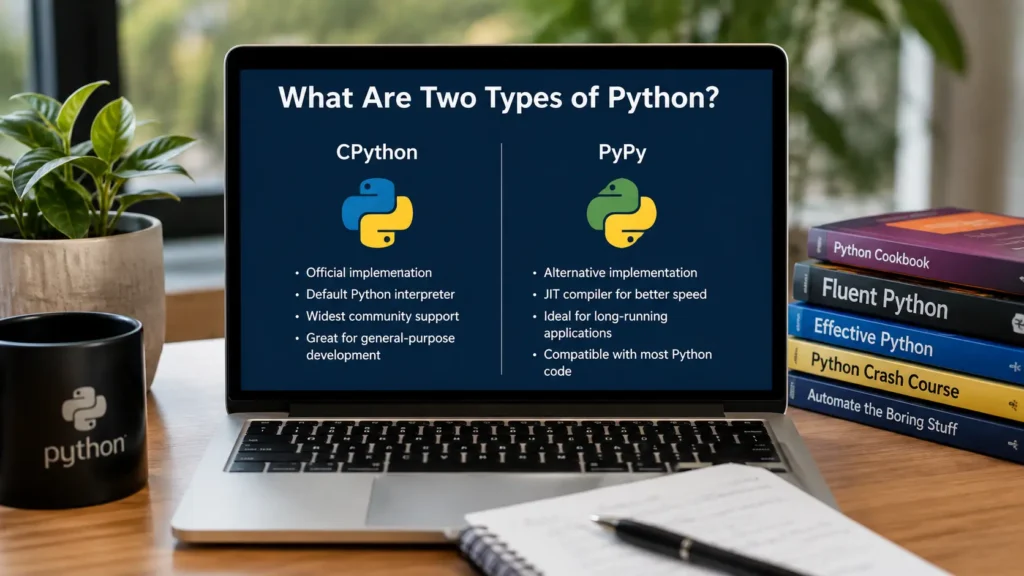
Laptop displaying a comparison of CPython and PyPy, the two most common Python implementations used by developers.

What Are Two Types of Python?

Python isn’t one single thing. Under the hood, several implementations run this popular language, and each one works differently. Some focus on ease of use. Others focus on raw speed. This mix confuses a lot of new coders. So, what are two types of Python? The two most common implementations are CPython and PyPy. CPython is the standard version. PyPy is built for speed. What Does “Types of Python” Mean? When people say “types of Python,” they usually mean one of two things. They might mean Python versions, like Python 2 and Python 3. Or they might mean Python implementations, the actual programs that read and run your code. This article focuses on implementations, since that’s where most of the confusion starts. Every Python implementation follows the same language rules. The difference is in how each one turns your code into something your computer can execute. Some implementations translate code line by line. Others compile it first, then run it. That single choice changes speed, memory use, and even which tools you can use. Understanding different versions of Python matters too, but implementations are the deeper layer most tutorials skip. Once you know how CPython and PyPy work, the rest of the Python ecosystem makes a lot more sense. What Are the Two Main Types of Python? The two main types of Python are CPython and PyPy. Both run Python code. Both follow the same syntax rules. But they were built with different goals in mind. CPython is the original implementation, written in the C programming language. It’s the version you download from python.org. Almost every Python programming tutorial, library, and tool assumes you’re using CPython. PyPy is a newer implementation, written mostly in Python itself. It was built to solve one specific problem: speed. PyPy can run certain programs several times faster than CPython, especially long-running scripts with heavy loops. If someone asks you what are two types of Python you’ll run into most often, the honest answer is CPython and PyPy. Everything else is a smaller, more specialized branch of the same tree. CPython Explained CPython is the reference implementation of Python. That means it sets the standard every other version tries to match. When developers write new Python features, they test them in CPython first. Here’s how it works. CPython takes your Python code and compiles it into something called bytecode. Then a virtual machine reads that bytecode and runs it, one instruction at a time. This process is simple and reliable, but it isn’t the fastest method available. CPython has a few strong advantages: It supports almost every Python library, including tools for data science and web development. It has the largest community, so help is easy to find. It’s stable and well tested, since it’s been the default for decades. The main downside is speed. CPython can feel slow on tasks that involve heavy number crunching or long loops. For most everyday projects, though, this rarely matters. PyPy Explained PyPy takes a different approach. Instead of just interpreting bytecode, it uses a technique called just-in-time compilation, or JIT. This means PyPy watches your code as it runs, spots patterns, and compiles the busy parts directly into machine code. The result is speed. In many benchmarks, PyPy runs pure Python code four to ten times faster than CPython. For programs that loop millions of times, that difference adds up fast. PyPy isn’t perfect, though. Some libraries, especially ones written in C, don’t work well with it. Support has improved a lot in recent years, but it still lags behind CPython in this area. PyPy also uses more memory for short scripts, since the JIT compiler needs time to warm up before it shows its full speed advantage. CPython vs PyPy: Key Differences The CPython vs PyPy comparison comes down to a few clear points. Feature CPython PyPy Execution method Interpreted bytecode Just-in-time compiled Speed Standard Often much faster Library support Excellent Limited for C extensions Community size Largest Smaller, growing Best use case General projects, learning Long-running, CPU-heavy tasks CPython wins on compatibility. PyPy wins on raw speed for the right kind of workload. Neither one is “better” in every situation. The right choice depends entirely on what you’re building. Which Python Type Should Beginners Learn? If you’re new to coding, start with CPython. It’s the default choice for a reason. Every book, course, and tutorial assumes you’re using it. Every library installs cleanly with it. You won’t hit strange compatibility issues while you’re still learning the basics. This is exactly why Python for beginners almost always means CPython first. You can explore PyPy later, once you understand how Python programming actually works and you run into a real performance problem that needs solving. If you’re based locally and want structured, hands-on guidance instead of piecing things together from scattered videos, LocalPro1 Institute offers Python courses in Rawalpindi designed for real beginners. A good instructor can save you months of trial and error, especially when you’re deciding between different versions of Python and different implementations for the first time. Other Python Implementations You Should Know CPython and PyPy aren’t the only options. A few others are worth knowing, even if you never use them directly. Jython: Runs Python code on the Java Virtual Machine. Useful if you’re working inside a Java-based system. IronPython: Built for the .NET framework. Handy for teams already working with Microsoft tools. MicroPython: A stripped-down version made for microcontrollers and small embedded devices. Stackless Python: A CPython variant built for lightweight tasks called microthreads, often used in game development. None of these compete directly with CPython or PyPy for everyday use. But they show how flexible Python’s design really is. The language itself isn’t tied to one single engine. How to Choose the Right Python Implementation Picking the right implementation comes down to three questions. First, what are you building? Web apps, scripts, and data analysis projects run fine on CPython. Long-running number crunching or simulations may benefit from PyPy. Second,

What Are Two Types of Python? Read More »

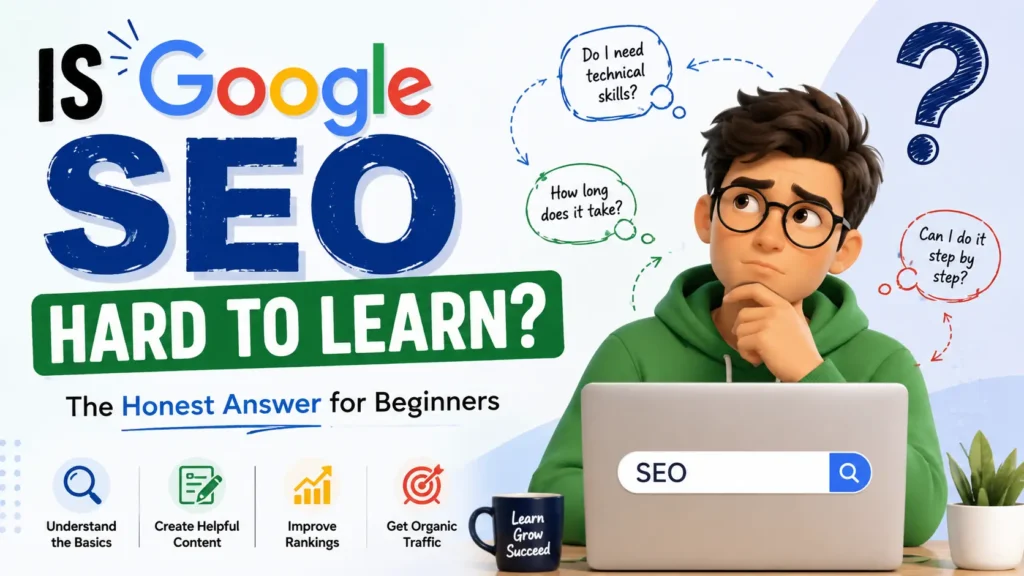
Is Google SEO hard to learn? A beginner learning SEO with a laptop and search optimization concepts.

Is Google SEO Hard to Learn?

No, Google SEO is not hard to learn, but it takes patience. The basics take a few weeks. Real skill takes months of practice. You need to learn how search engines read content, how they judge quality, and how to write for real people first. That question, Is Google SEO Hard to Learn, comes up a lot from beginners who feel stuck. The truth is simpler than most guides make it sound. What Is Google SEO? Google SEO means search engine optimization for Google’s search results. It’s the process of shaping your website so Google can find it, understand it, and show it to the right people. This covers your content, your site structure, your links, and how fast your pages load. SEO basics start with three parts: what Google can crawl, what it can understand, and what it decides to rank. Miss any one of these and your page stays invisible, no matter how good the writing is. Is Google SEO Hard to Learn? Here’s the honest answer. Is Google SEO Hard to Learn depends on what you compare it to. Learning to write a blog title that gets clicks takes an afternoon. Learning to build topical authority across dozens of pages takes months. The tools and free guides available today make SEO basics far easier to grasp than they were five years ago. Google publishes its own guidelines. Free courses cover keyword research, on-page SEO, and technical checks. The hard part isn’t understanding the rules. The hard part is staying consistent and adjusting when Google updates its systems. Google’s December 2025 core update is a good example. The update changed how Google judges content quality, real expertise, and whether pages genuinely help users. Sites with thin or repetitive content lost visibility. Sites with clear expertise and useful detail held steady or grew. That pattern tells beginners exactly what to focus on from day one. Why Beginners Find SEO Challenging Most beginners struggle for three reasons, not because the subject is complex. First, there’s too much information online, and much of it is outdated. Second, results take weeks or months to show up, which makes it hard to know if your work is paying off. Third, Google keeps changing its ranking systems, so old tricks stop working. Google’s third and final core update of 2025 wrapped on December 29, and these updates are designed to reward high-quality sites, though they can cause volatility in search performance. That volatility scares new learners. But it also removes shortcuts, which makes the field fairer for anyone learning Google SEO for beginners the right way, starting with real content and real research. What Makes SEO Easier to Learn? SEO gets easier once you stop chasing every new tactic and focus on fundamentals. Google rewards pages that answer a searcher’s question clearly and completely. That single idea guides almost every decision in SEO. Breaking the subject into small pieces also helps. Learn keyword research first. Then learn on-page structure. Then learn link building. Trying to master everything at once is what makes SEO feel harder than it is. Recent analysis shows that strong performance after the December update was tied to a cluster of quality signals working together, including page experience metrics, content depth, domain trust, and content activity. Once you understand that these signals work as a group, not as isolated tricks, the whole subject starts to click. Essential Google SEO Skills You Need To learn Google SEO well, focus on these core skills: Keyword research – Finding what your audience actually searches for. On-page SEO – Titles, headers, meta descriptions, and internal links. Content writing – Clear, useful, well-organized answers to real questions. Technical SEO – Site speed, mobile usability, and crawlability. Link building – Earning trust signals from other credible sites. Analytics – Reading Google Search Console and traffic data to spot what works. You don’t need to master all six at once. Most learners start with keyword research and on-page SEO, since these give the fastest visible results. How Long Does It Take to Learn Google SEO? Most beginners grasp SEO basics in four to six weeks of steady study. Getting comfortable enough to run a full campaign takes three to six months. Becoming genuinely skilled, the kind of skill that survives a core update, takes about a year of hands-on work. This timeline matches what search professionals see after major updates. A SERP analysis found that nearly 15 percent of pages that ranked in the Top 10 before the December update disappeared entirely from the Top 100 by the time the rollout finished. That kind of shakeup rewards learners who understand the fundamentals, not just people who memorized a checklist. Step-by-Step Roadmap to Learn Google SEO Learn how search engines work. Understand crawling, indexing, and ranking before touching any tool. Study keyword research. Learn to find search intent, not just search volume. Practice on-page SEO. Optimize titles, headers, and content structure on a real page. Understand E-E-A-T. Learn how Google judges experience, expertise, authority, and trust. Build technical knowledge. Learn page speed, mobile-friendliness, and basic site structure. Study link building. Learn how quality backlinks build trust over time. Track your results. Use Google Search Console to see what’s actually working. Adjust after every update. Read the update notes and check your traffic patterns. This roadmap works for anyone asking how to learn SEO from scratch, whether you’re a blogger, a small business owner, or someone planning a career switch. Common SEO Mistakes Beginners Should Avoid Keyword stuffing. Repeating a phrase unnaturally hurts readability and rankings. Ignoring search intent. Ranking for a keyword means nothing if the content doesn’t match what searchers want. Copying competitors word for word. Google can detect duplicate and thin content easily. Skipping mobile optimization. Most searches now happen on phones. Chasing every algorithm rumor. Reacting to every SEO forum post wastes time and often causes more harm than good. Publishing without editing. Rushed, unclear writing rarely earns trust or shares. Avoiding these mistakes matters

Is Google SEO Hard to Learn? Read More »

How A Digital Marketing Agency Uses Content Writing

What Is Content Writing In Digital Marketing?

Every business you scroll past today runs on words. A blog post, a product page, an email, a social caption. All of it comes from one skill. So, what is content writing in digital marketing? It means creating written material like blogs, web pages, and ads that informs people and moves them to act. It sits at the center of every online marketing plan. What Is Content Writing in Digital Marketing? Content writing in digital marketing is the process of planning, researching, and writing text that helps a brand connect with its audience online. This covers blog posts, website pages, product descriptions, email newsletters, social media captions, and ad copy. A good content writer does more than string sentences together. They study what a reader wants to know, then answer it clearly. They also study what a business wants to sell, then guide the reader toward it without pushing too hard. Search engines read content too. Google’s algorithm scans text to figure out what a page covers and whether it deserves a spot on page one. This is why content writing marketing and search visibility go hand in hand. Write well for people, and you often write well for search engines at the same time. Why Is Content Writing Important in Digital Marketing? Ads stop working the moment you stop paying for them. Content keeps working long after you publish it. A blog post from two years ago can still bring in readers today if it answers a real question. Here is why it matters: It builds trust. Readers judge a brand by how it explains things. It supports every other channel. Social posts, emails, and ads all need words that convert. It ranks in search engines and shows up in AI answers, which brings free, steady traffic. It turns strangers into customers by answering doubts before they even ask. Digital marketing content writing is not a side task anymore. It is the base layer that every campaign stands on. Types of Content Writing in Digital Marketing Content writing covers many formats, and each one serves a different goal. Blog posts: Long articles that answer questions, teach a skill, or explain a topic in depth. Website copy: The text on homepages, about pages, and service pages that explains what a business offers. Product descriptions: Short, persuasive text that highlights features and benefits for online stores. Email content: Newsletters, welcome sequences, and promotional emails that keep subscribers engaged. Social media content: Captions, thread posts, and short-form text made for platforms like Instagram or LinkedIn. Ad copy: Short, punchy lines built to grab attention and drive a click. Case studies and whitepapers: Detailed content that proves results with real data, often used in B2B marketing. Each type needs a slightly different voice, but all of them fall under one skill set called content writing. How Does Content Writing Support SEO? SEO content writing means writing with search engines in mind, without losing the human reader. Google no longer ranks pages just because they repeat a keyword many times. It looks at depth, structure, and whether the content actually helps. Here is how strong content supports SEO: It targets keywords people actually search for, placed naturally in headings and text. It answers a question fully, so readers don’t need to click back to Google. It uses internal links to connect related pages on the same site. It earns outbound links from other sites because it offers real value or original research. It matches search intent, meaning it gives readers exactly what they typed the query to find. Google’s core update in December 2025 pushed this further. It rewards pages that show first-hand experience, clear expertise, and content that reads like a real person wrote it. Thin pages built only to rank, with no depth or original insight, lost visibility. This makes SEO content writing less about tricks and more about genuine research and useful detail. What Skills Are Needed for Content Writing? Writing well is only part of the job. A content writer also needs: Research skills to find accurate facts and understand a topic before writing about it. SEO knowledge to structure content so search engines and readers can both follow it. Editing skills to cut fluff and keep sentences tight. Audience awareness to match tone with who is actually reading. Basic data skills to read analytics and see what content performs well. Adaptability since every brand has a different voice and every platform has different rules. None of these skills need a fancy degree. They come from practice, reading widely, and studying what works. Content Writing vs. Copywriting: What Is the Difference? People mix these two up often, but they serve different goals. Content writing informs and builds trust. Think blog posts, guides, and articles that teach something. The goal is to help first and sell second. Copywriting sells directly. Think ad headlines, sales pages, and email subject lines. Every word pushes toward one action, like a purchase or a signup. A strong content marketing writing strategy usually blends both. You use content to attract and educate readers, then use copywriting at the exact moment you want them to take action. How Does a Content Writer Help a Digital Marketing Team? A content writer sits close to almost every part of a marketing team. SEO specialists need writers to turn keyword research into real pages. Social media managers need captions and post ideas. Email marketers need subject lines and body copy that get opened and read. Sales teams often ask for case studies that prove results. Without a writer, a marketing team has strategy but no voice. The writer turns plans into something a customer actually reads and responds to. How to Write Content for Digital Marketing Follow these steps to write content that performs. Research the topic and the audience. Know what your reader already understands and what they still need answered. Pick one clear goal per piece. Inform, persuade, or entertain. Don’t try to do all three at

What Is Content Writing In Digital Marketing? Read More »

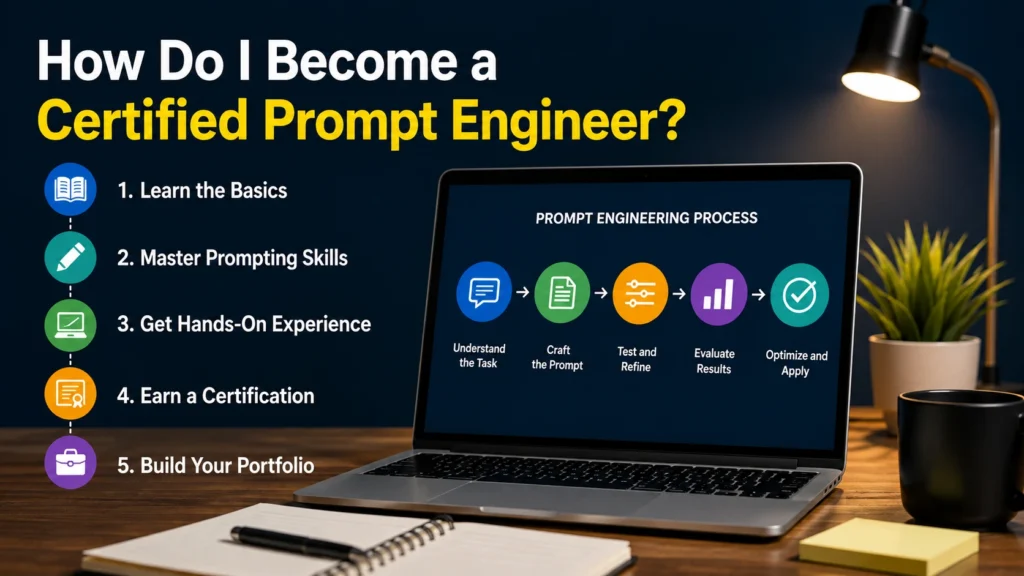
How do I become a certified prompt engineer - 5 step process from learning basics to building a portfolio

How Do I Become a Certified Prompt Engineer?

You become a certified prompt engineer by learning core AI skills, practicing with real tools, and completing a recognized course. Most paths take 4 to 12 weeks. You don’t need a coding background to start. That’s the short answer. But there’s more to it if you want a career, not just a certificate. This guide walks you through the full path, so you can pick the right course and build a portfolio that gets you hired. What Is a Prompt Engineer? A prompt engineer writes and tests instructions for AI models. Their job is to get accurate, useful output from tools like ChatGPT, Claude, and Gemini. Good prompt engineers understand how a model reads language. They know how small word changes can shift a whole response. This is a new field. It grew out of the rise of large language models over the past few years. Companies now hire people for this skill under different job titles: AI trainer, LLM specialist, or applied AI consultant. What Does a Prompt Engineer Do? Day to day work varies by company, but most prompt engineers do a mix of these tasks: Write and test prompts for chatbots, content tools, or internal AI systems Fix outputs that are wrong, biased, or off topic Build prompt templates that other teams can reuse Document what works and what doesn’t Work with product and data teams to improve AI features Some roles focus on customer facing tools. Others sit inside data science teams and support model evaluation. The core skill stays the same: clear, structured communication with a machine. Do You Need a Degree to Become a Prompt Engineer? No. A degree helps, but it isn’t required. Many working prompt engineers came from writing, marketing, customer support, or teaching backgrounds. What matters more is your ability to think in steps and test your work. Employers care about your portfolio and your grasp of how models behave. A strong certificate plus real project examples can outweigh a formal degree for most entry level roles. What Skills Do You Need to Become a Prompt Engineer? You’ll want a mix of technical and soft skills: Clear writing. Prompts are instructions, so vague language leads to vague answers. Basic logic and structure. You should be able to break a task into steps. Familiarity with AI tools. Spend real time inside ChatGPT, Claude, and Gemini. Testing habits. Change one variable at a time and track the result. Light technical knowledge. You don’t need to code, but knowing what an API or a token is helps. Curiosity matters more than any single skill on this list. The best prompt engineers keep testing after they get a decent answer, because a decent answer is rarely the best one. How Do You Become a Certified Prompt Engineer? If you’re asking how do I become a certified prompt engineer, follow this path: Learn the fundamentals through free resources first, such as DeepLearning.AI’s short courses. Pick one structured, paid certification to build depth and get a credential. Practice on real prompts daily, not just course exercises. Build three to five portfolio projects that show your process. Apply for roles or freelance gigs while you keep learning. This order matters. Free courses teach you the basics without cost. A paid certificate then adds structure and a credential you can list on your resume. Skipping straight to a paid cert without any hands on practice often wastes money, since you’ll spend the course catching up on basics instead of building real skill. Which Prompt Engineering Certifications Are Worth Considering? There’s no single official license for this field yet, so a prompt engineering certification really means a respected course completion certificate. A few stand out in 2026: Vanderbilt Prompt Engineering Specialization (Coursera). A widely recognized university backed program. Good for a LinkedIn credential and a general grounding in prompt design. DeepLearning.AI short courses. Free, code focused, and built with input from major AI labs. Great starting point before you pay for anything. Google and IBM AI certificates. These cover prompt engineering as part of a broader AI fundamentals track. Useful if you want a big brand name on your resume. Databricks and cloud platform certifications. Better suited to engineers who already work with data pipelines and want to add prompt and RAG skills on top. Read the syllabus before you enroll. Some programs are outdated and still teach patterns built only for older chatbot versions. Check the last update date on any prompt engineering course before paying for it. How Long Does It Take to Become a Certified Prompt Engineer? Most people finish a single prompt engineering certification in 20 to 60 hours of study. Spread over a few weeks of part time work, that’s about 4 to 8 weeks. If you’re starting from zero and want a full skill set, budget 3 months. That gives you time for the free fundamentals, one certification, and a small portfolio. Rushing through a course without practice will leave gaps that show up in interviews. How Much Does Prompt Engineering Certification Cost? Prices vary a lot. Free options exist from DeepLearning.AI and some community platforms. Paid programs range from about $49 to $399. University backed Coursera specializations often run near $49 a month until you finish. Cloud certification exams from Google or AWS cost $200 to $300, but those cover far more than prompt engineering alone. You don’t need to spend a lot to start. One solid free course plus one affordable paid certificate covers most beginners well. How Do You Build a Prompt Engineering Portfolio? A portfolio proves you can do the work, not just pass a quiz. Build these: A before and after example, showing a weak prompt and your improved version, with reasoning. A small automation, like a prompt template that summarizes documents or drafts emails. A test log, where you compare outputs across different models on the same task. A written case study explaining your process, not just your final result. Post these on GitHub, a personal site,

How Do I Become a Certified Prompt Engineer? Read More »

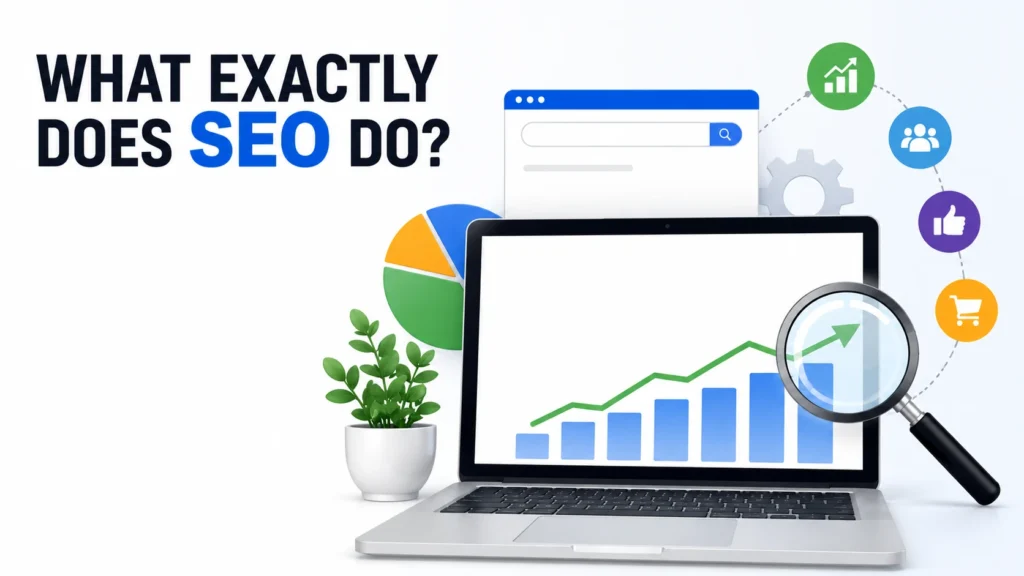
What exactly does SEO do to improve website visibility and search rankings

What Exactly Does SEO Do?

SEO makes your website easier to find on Google. It helps search engines understand your content and match it with real questions people type every day. Without SEO, even great content stays invisible to the people who need it most. So what exactly does SEO do? It builds trust signals, fixes technical issues, and connects your pages to real search intent. That mix is what turns random clicks into steady traffic. What Is SEO in Simple Words? SEO stands for search engine optimization. It is the process of making a website easier for Google to read, trust, and rank. Think of Google as a librarian with billions of books. SEO is how you label your book so the librarian knows exactly where to place it, and who to hand it to. Good SEO does not trick search engines. It removes confusion. It gives clear signals about what a page covers, who wrote it, and why it deserves attention. What Exactly Does SEO Do for a Website? A website without SEO is like a shop with no sign, no address, and no window display. People might love what is inside, but they will never walk in. Here is what does SEO do for a website in practical terms: It helps search engines crawl and index every important page. It matches your content to what people actually search for. It builds credibility through content depth and trusted links. It improves page speed and mobile usability. It keeps your site competitive as Google’s ranking systems change. None of these steps work alone. SEO is a system, not a single trick. That is the honest answer to what does SEO do for a website. How Does SEO Work? Search engines use automated programs called crawlers to scan the web. These crawlers follow links from page to page, reading content along the way. Once a page is crawled, it gets indexed. Indexing means Google stores that page in its massive database, ready to show it when someone searches a related term. Ranking happens next. Google’s systems compare thousands of indexed pages and decide which ones best answer a specific query. This is where content quality, site structure, and trust signals matter most. So how does SEO work in one sentence? It aligns your website with how search engines crawl, understand, and rank content, so the right pages appear for the right searches. What Did Google’s December 2025 Core Update Change? Google rolled out its December 2025 core update between December 11 and December 29. It was one of the most volatile updates of the year, and it reshaped how many sites perform in search. This update did not target spam or add new penalties. Instead, it recalibrated how Google’s core systems judge content usefulness, topical depth, and intent match. Sites built around thin, templated, or repetitive pages lost visibility. Sites with genuine expertise, layered content, and strong page experience gained ground. A few patterns stood out after the rollout settled: Page experience metrics, including load speed, played a real role in outcomes. Sites with deep, well-researched content held up better than sites chasing keyword volume alone. Domain trust and consistent content activity mattered more than one-off viral pages. Weak pages could drag down an otherwise strong site, even if most of the content was solid. The lesson is simple. What exactly does SEO do after an update like this? It forces every site owner to focus on real value instead of shortcuts. Google is not asking for more content. It is asking for content that actually helps someone. What Are the Main Things SEO Does? Beyond rankings, SEO does several jobs that are easy to overlook. It builds long term visibility. Unlike a single ad campaign, a well optimized page can keep bringing visitors for years. It improves user experience. Search engines reward sites that load fast, work on mobile, and are easy to navigate. Users benefit from these same fixes. It signals expertise and trust. This is where E-E-A-T comes in: experience, expertise, authority, and trust. Google wants proof that real people with real knowledge created the content. It supports every other marketing channel. Paid ads, social posts, and email campaigns all work better when they point to a website that already ranks well and loads fast. What Are the 4 Main Types of SEO? On-page SEO This covers everything inside your page: headings, keyword placement, internal links, image alt text, and content structure. It is the foundation search engines read first. Off-page SEO This is about signals from outside your site, mainly backlinks from other trusted websites. When credible sites link to you, it acts like a vote of confidence. Technical SEO This handles the backend: site speed, mobile friendliness, secure connections, clean code, and crawlability. A page can have perfect writing and still fail to rank if technical issues block it. Local SEO This focuses on ranking for location based searches, like a business trying to appear when someone nearby searches for a service. Google Business Profile optimization sits inside this category. Each type answers a different piece of what does SEO do for a website. Skipping one weakens the rest. How Does SEO Increase Website Traffic? SEO increases traffic by putting your pages in front of people who are already searching for what you offer. This is different from cold traffic, where people have no prior interest. When a page ranks on the first result page, it captures a steady stream of visitors without ongoing ad spend. As more pages rank for related terms, the traffic compounds. One well optimized blog post can rank for dozens of related searches over time, not just one exact phrase. This is also where topic depth matters. A single article that fully covers a subject, backed by real research and examples, tends to rank for many related queries instead of just one keyword. Does SEO Help a Business Get More Customers? Yes, but only when it is paired with content that actually solves a

What Exactly Does SEO Do? Read More »

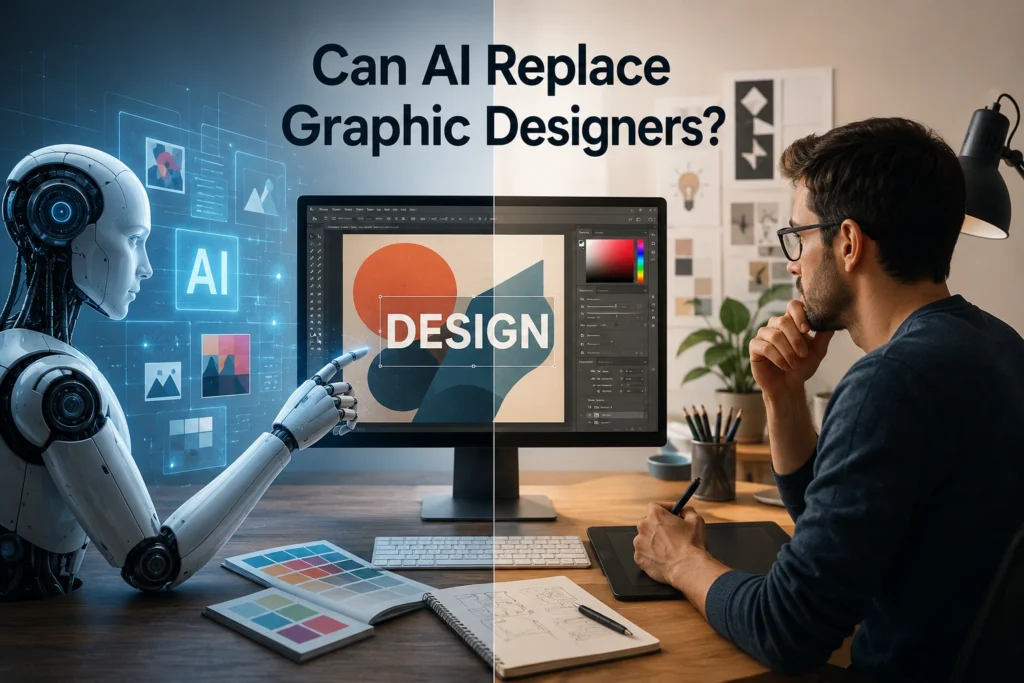
Can AI replace graphic designers - split image of robot AI and human designer working on the same design

Can AI Replace Graphic Designers?

No, AI cannot fully replace graphic designers. It can create images fast, but it cannot think like a brand strategist or read a client’s mind. AI tools help with speed. Human designers bring judgment, taste, and real problem solving. So can AI replace graphic designers in 2026? The short answer is no, not completely. AI is a helper, not a replacement, for skilled human creativity. How AI Is Changing the Graphic Design Industry AI tools have moved from a fun experiment to a daily work tool for many designers. Tools like Midjourney, Canva Magic Studio, and Adobe Firefly now generate logos, banners, and social posts in seconds. Small business owners use these tools to skip hiring a designer for basic tasks. This shift has made design work faster and cheaper for simple projects. A local shop owner can now make a flyer without calling a studio. But this speed comes with limits, which we will cover next. What AI Can Do Better Than Human Designers AI wins in a few clear areas. It creates multiple design options in seconds. It never gets tired or misses a deadline because of burnout. It can also handle repetitive tasks like resizing images for different social platforms. AI is also strong at pattern-based design work. Background removal, color correction, and basic mockups get done fast. For a business that needs 50 product images edited the same way, AI saves real time and money. Where AI Still Falls Short AI struggles with real creative thinking. It cannot sit in a meeting and understand what a founder truly wants for their brand. It also cannot read subtle cultural context that changes how a design should feel in different markets. Most AI tools also produce generic results when given vague prompts. Ask ten people to generate a “modern logo” and you will get designs that look similar. Original brand identity still needs a human eye that understands the client’s story. This is one big reason can AI create graphic designs that feel personal and unique is still a hard question to answer with a full yes. Can AI Completely Replace Graphic Designers? This question comes up in almost every design forum today. The honest answer is that AI replaces tasks, not entire careers. It can do the small, repeated jobs. It cannot replace the thinking behind a strong brand. Will AI replace graphic designers who only do basic template work? Possibly, over time. But designers who focus on strategy, branding, and client relationships are much harder to replace. Clients pay for trust and judgment, not just a finished image. So can AI replace graphic designers who bring years of creative training and real client experience? Not anytime soon. The tools are getting better, but they still lack true understanding. AI vs Human Graphic Designers: A Side-by-Side Comparison Factor AI Tools Human Designers Speed Very fast Slower, but thoughtful Cost Low or free Higher, based on skill Original ideas Limited Strong Brand understanding Weak Strong Client communication None Essential Cultural context Often misses it Understands nuance This AI vs graphic designers comparison shows both sides have real strengths. Smart studios use both together instead of picking one side. Why Creativity and Strategy Still Need Humans A logo is not just a picture. It carries a business story, target audience, and long-term goals. AI does not know why a bakery wants a warm, homemade feeling instead of a sleek, modern look. A human designer asks questions, listens, and builds a design around real goals. Strategy also matters in packaging, branding, and marketing campaigns. These need research on competitors, audience behavior, and market trends. AI can support this research, but it cannot make the final creative call with full confidence. How Graphic Designers Can Use AI to Work Faster Smart designers now treat AI as an assistant, not a threat. They use it to generate quick drafts, remove backgrounds, or create color variations. This frees up time for the parts of the job that truly need a human touch. A designer can generate ten logo concepts with AI in minutes. Then they pick the best direction and refine it by hand. This mix cuts down early brainstorming time and lets designers focus on polish and client feedback. Best AI Tools for Graphic Designers Several tools are popular among working designers today. Adobe Firefly: Good for quick image generation inside Photoshop. Canva Magic Studio: Great for social media templates and fast edits. Midjourney: Strong for concept art and mood boards. Remove.bg: Fast background removal for product photos. Figma AI: Useful for layout suggestions in UI design. These tools do not replace design skill. They speed up the boring parts of the job so designers can spend more time on real creative work. Skills Designers Need to Stay Relevant in the AI Era Designers who want long careers should build skills AI cannot copy. Brand strategy, client communication, and storytelling top this list. Understanding color psychology and typography at a deep level also matters more now, not less. Learning to prompt AI tools well is becoming a useful skill too. A designer who knows how to guide AI gets better results than one who avoids it. Basic knowledge of coding or motion design also adds value in a crowded job market. Industries That Still Prefer Human Graphic Designers Some industries rarely trust AI for full projects. Law firms, hospitals, and luxury brands often need designs that reflect trust and precision. A mistake in a hospital brochure or a luxury brand logo can hurt reputation fast. High-end fashion, film, and gaming studios also lean on human designers for original art direction. These fields pay for a unique creative voice that AI cannot fully copy yet. Benefits of Combining AI with Human Creativity Studios that blend both get the best results. AI handles volume and speed. Humans handle meaning and connection. This combo lets small design teams take on more clients without dropping quality. A freelancer can now offer faster turnaround times using

Can AI Replace Graphic Designers? Read More »

Pakistani student thinking while learning Python coding on a laptop, illustrating can I learn Python after 12th

Can I Learn Python After 12th? A Complete Guide for Students

Yes, you can learn Python after 12th, no matter which stream you studied. You don’t need a computer science background or any coding history to start. Python is built for beginners, and thousands of students pick it up right after school every year. The real question is not “can I learn Python after 12th” but how fast you can do it. Most students take three to six months to get job ready with steady daily practice. Can You Learn Python After 12th? Python is one of the easiest programming languages to pick up as a first language. It reads almost like plain English, so you don’t need to memorize confusing symbols or strict rules. If you can follow simple logic, you can learn Python. Students from arts, commerce, and science backgrounds all learn Python successfully every year. Coding schools and online platforms design their beginner courses assuming zero prior knowledge. So if you were worried that your stream would hold you back, it won’t. The bigger factor is your mindset and consistency, not your school subjects. Students who practice code daily, even for 30 minutes, improve faster than those who study Python theory for hours without typing a single line. Who Should Learn Python After 12th? Python after 12th suits a wide range of students, not just future software engineers. Here are a few groups who benefit the most: Students planning a career in software development or app building Commerce students who want to move into data analysis or fintech Science and biology students interested in research, automation, or data work Students unsure about their career path who want a flexible, high demand skill If you enjoy solving problems step by step, Python programming for beginners will feel natural to you. Do You Need a Science Background to Learn Python? No, you don’t need a science background to learn Python after 12th. This is one of the biggest myths that stops students from even trying. Python was created to be readable and simple, not to test your physics or math scores. Basic logical thinking helps, and you build that skill through practice, not through your 12th grade marksheet. Arts and commerce students often do just as well as science students once they start writing real code. Some math understanding helps later, especially for data science or machine learning. But at the beginner stage, you only need curiosity and the willingness to practice regularly. So if you’re asking, can I learn Python after 12th without a science background, the answer is a clear yes. Benefits of Learning Python After 12th Starting Python right after school gives you a head start before college workload gets heavy. Here are the main benefits students notice: Easy to learn: Python’s simple syntax makes it a gentle entry point into coding. High demand skill: Companies across industries use Python for websites, apps, automation, and data work. Strong career options: Python programming for beginners can lead to roles in web development, data science, and AI. Builds problem solving skills: Coding trains your brain to break big problems into small, manageable steps. Useful for higher studies: Many university courses in computer science, statistics, and engineering now include Python. Flexible learning pace: You can learn Python online, in a classroom, or through self study, whatever fits your schedule. These benefits explain why so many students ask, can I learn Python after 12th, before making their next move?” How to Start Learning Python After 12th Getting started with Python doesn’t require expensive equipment or a complicated technical setup. A basic laptop and an internet connection are enough to begin learning. At LocalPro1 Institute, we provide beginner-friendly training, practical projects, and expert guidance to help you build Python skills with confidence from day one. Start by installing Python and a simple code editor like VS Code. Then move to basic concepts such as variables, loops, and conditions. Avoid jumping into advanced topics before you understand the basics well. Practice on small projects early, even something as simple as a calculator app. Real projects teach you far more than watching video lessons alone. Python Learning Roadmap for Students If you are wondering how to learn Python after 12th in the right order, follow this roadmap: Basics – variables, data types, loops, conditions, and functions Data structures – lists, tuples, dictionaries, and sets Object oriented programming – classes, objects, and inheritance File handling and error handling – reading files and managing exceptions Libraries – NumPy and Pandas for data work, or Django and Flask for web development Projects – build three to five small projects to apply what you learned Specialization – choose web development, data science, automation, or app development based on your interest This roadmap works whether you study on your own or through a structured course. The order matters more than speed. Best Python Courses for Beginners Picking the right course saves you months of confused, directionless learning. A good beginner course should focus on hands on coding, not just slides and theory. Look for a course that includes real projects, doubt clearing sessions, and a clear path from basics to job ready skills. Feedback on your code matters just as much as the lessons themselves. If you are searching for python courses in Islamabad, Localpro1 Institute offers a structured Python program built for students straight out of school, with practical projects and mentor support throughout the course. Whether you choose an in person class or an online option, check the syllabus against the roadmap above. How Long Does It Take to Learn Python After 12th? Most beginners take three to six months to become comfortable with Python fundamentals. This depends heavily on how many hours you practice each week and how consistent you stay. Students who code for an hour daily usually move faster than those who study only on weekends. Learning the basics might take four to six weeks, while real project skills take a few more months. If your goal is a job ready skill set,

Can I Learn Python After 12th? A Complete Guide for Students Read More »

How Long Does it Take to Learn Python - student coding on laptop with Python basics whiteboard

How Long Does it Take to Learn Python?

Most people can learn Python basics in 6 to 8 weeks with steady daily practice. If you want job-ready skills, plan for 3 to 6 months of focused learning. The exact number depends on your goals, your schedule, and how much you practice each day. So how long does it take to learn Python for your specific situation? That answer changes based on a few key factors. Let’s break them down one by one, starting with what actually shapes your learning speed. What Affects How Long It Takes to Learn Python? Learning speed is not the same for everyone. Several things decide how fast you pick up Python. Your starting point matters. Someone with coding experience in another language will grasp Python faster than a total beginner. If you have never written a line of code, expect a slower start. That is normal and nothing to worry about. Daily practice time changes everything. A person who codes for one hour daily will move faster than someone who studies once a week. Consistency beats long, rare study sessions almost every time. Your goal shapes the timeline too. Learning Python for fun takes less time than learning it for a developer job. A hobbyist might only need basic scripts. A job seeker needs projects, problem-solving skills, and interview prep. The resources you pick also play a role. Structured courses with clear paths save time compared to random YouTube videos. A good course removes guesswork and keeps you on track. Keep these factors in mind as we look at real timelines below. How Long Does It Take to Learn Python for Beginners? For complete beginners, learning Python basics takes about 6 to 12 weeks. This covers variables, loops, functions, and simple data structures. If you study 1 to 2 hours daily, you can finish core basics in 6 weeks. Slower learners or those with less practice time may need up to 3 months. Either pace is fine. Progress matters more than speed. Beginners often ask how long to master Python completely. Mastery is different from basics. Basics take weeks. True mastery, where you handle complex projects with ease, takes 1 to 2 years of regular coding work. Python Learning Timeline: Week-by-Week Here is a realistic Python learning roadmap for the first two months. Week 1-2: Learn syntax, variables, data types, and basic input/output. Write small scripts like a calculator or a temperature converter. Week 3-4: Study loops, conditionals, and functions. Build slightly bigger programs like a number guessing game. Week 5-6: Learn lists, dictionaries, and file handling. Try a small project like a to-do list app. Week 7-8: Explore libraries like Pandas or Requests. Start combining skills into one mini project, such as a weather app or a simple data report. By the end of week 8, most learners have a working grasp of Python fundamentals. This timeline can shift depending on your daily hours and how well you understand each topic before moving on. How Many Hours a Day Should You Study Python? One hour a day is often enough for steady progress. Two hours will speed things up if you have the time and energy. Studying for 30 minutes daily still works, but it stretches your timeline. The key is showing up consistently rather than cramming for 5 hours once a week and then skipping days. Avoid burnout by mixing learning with hands-on coding. Watching tutorials alone will not build real skill. Type the code yourself, break it, and fix it. That is how you actually learn. How Long Does It Take to Learn Python for a Job? Getting job-ready in Python usually takes 4 to 6 months of dedicated study. This includes learning the language, building projects, and preparing for technical interviews. Employers want proof you can build things, not just recite syntax. Plan your months like this: Month 1-2: Learn Python fundamentals and small scripts. Month 3-4: Build 3 to 5 real projects, such as a web scraper, a simple API, or a data analysis tool. Month 5: Learn Git, basic SQL, and how to work with libraries relevant to your target job. Month 6: Practice coding interview questions and polish your portfolio. If you already know another programming language, this timeline can shrink to 2 or 3 months. Your existing logic skills transfer well to Python for beginners lessons. How Long Does It Take to Learn Python for Web Development? Web development with Python usually takes an extra 2 to 3 months beyond the basics. You will need to learn a framework like Django or Flask, along with how databases and servers work together. Most learners spend the first month on Python fundamentals, then move into framework-specific lessons. By month 3, many can build a basic website with user login and a database connection. If you want structured guidance instead of piecing together free tutorials, checking out python courses in Rawalpindi through Localpro1 Institute can help you skip the trial and error. A guided course saves weeks of confusion, especially with frameworks that have their own rules and setup steps. What Is the Fastest Way to Learn Python? The fastest way to learn Python combines short daily lessons with real projects from day one. Passive watching slows you down. Active coding speeds you up. Here are proven ways to learn faster: Code every single day, even if it’s just 20 minutes. Build small projects early instead of waiting until you “know enough.” Read other people’s code on GitHub to see different problem-solving styles. Join a coding community where you can ask questions and get quick feedback. Use spaced repetition for syntax and concepts you keep forgetting. Skipping steps to rush ahead usually backfires. Slow, steady progress beats fast, shaky progress every time. Best Free and Paid Resources to Learn Python Picking the right resource shortens your learning curve. Here are solid options for different budgets. Free resources: Python.org’s official beginner guide freeCodeCamp’s Python course on YouTube W3Schools Python tutorial for quick reference Paid resources: Structured platforms like

How Long Does it Take to Learn Python? Read More »

What is graphic designing — designer workspace with Photoshop mockup, color palette, and sketchbook

What Is Graphic Designing?

Graphic designing is the craft of mixing images, text, and color to send a clear message. It turns plain words into visuals people actually stop and look at. Every logo, poster, and app icon started as a small design project on someone’s screen. This one skill shapes how brands look on your phone and in stores. So, what is graphic designing at its core? It is the process of solving a communication problem with shapes, fonts, and color choices. Anyone can learn it with steady practice. What Is Graphic Designing? Let’s break it down in plain terms. Graphic designing means using visual elements like layout, typography, imagery, and color to share an idea or sell a product. It sits at the meeting point of art and business. A designer doesn’t just make things look nice. They decide what a viewer notices first, second, and third. That order affects whether a person reads a flyer, clicks a button, or scrolls past an ad without a second glance. This is also known as what is graphic design in simple terms: turning a message into a picture that people understand in seconds. A good design answers a question before the viewer even asks it. A weak one leaves them confused or bored. Graphic designing covers print work like brochures and packaging. It also covers digital work like website banners, social media posts, and mobile app screens. The tools have changed over the years, but the goal stays the same. Make a message clear, and make it memorable. What Does a Graphic Designer Do? A graphic designer takes a brief from a client or a team and turns it into a finished visual. This might be a business card, a billboard, or a full brand kit with logos and color rules. Day to day work includes sketching ideas, picking fonts, choosing colors, and building layouts in design software. Designers also test different versions to see which one communicates best. They talk with clients, take feedback, and revise the work until it fits the goal. Many designers also handle small technical tasks. This includes resizing images for different screens, preparing files for printing, and checking that colors look right on paper and on screens. The job blends creative thinking with practical file management. Types of Graphic Designing There are several types of graphic design, and most designers pick one or two areas to focus on. Brand identity design covers logos, color palettes, and fonts that make a company recognizable. Print design includes flyers, brochures, packaging, and business cards. Even with so much online work today, print design still matters for local shops and events. Web and UI design deals with how a website or app looks and feels. This overlaps with user experience work, since a designer must think about how people click and scroll. Motion graphics brings design into video. Think of animated logos, title screens, or short social media clips. Illustration-based design uses hand drawn or digital art instead of photos. This style shows up in children’s books, game art, and quirky brand campaigns. Publication design shapes magazines, newspapers, and books, focusing on how text and images sit together across many pages. Each type needs its own skill set, but they all share the same basic design rules. Essential Graphic Design Principles Good design follows a small set of rules that rarely change, even as software does. Balance means arranging elements so no single part feels too heavy or too light on the page. Contrast helps important text or images stand out from the background. Alignment keeps everything lined up neatly instead of scattered, which makes a design feel put together. Repetition uses the same colors, fonts, or shapes across a project so it feels connected. White space is the empty area around elements. Beginners often fear empty space and fill every inch, but blank space actually helps a viewer’s eyes rest and focus. Hierarchy guides the eye from the most important part of a design to the least important. Get these six ideas right, and most designs will already look far better than average. Popular Graphic Design Software Adobe Photoshop remains a top pick for editing photos and building layered designs. Adobe Illustrator handles vector graphics, which is ideal for logos and icons that need to scale without losing quality. Adobe InDesign is built for longer documents like brochures, magazines, and books. Canva has grown fast because it is simple, browser based, and friendly to beginners who don’t want to learn complex tools right away. Figma has become the standard for web and app design teams, since many people can edit the same file at once. CorelDRAW and Affinity Designer are solid, budget friendly alternatives to Adobe’s tools. None of these programs make someone a designer on their own. They are simply the brushes. The thinking behind the design still matters more than the software used to build it. Skills Required to Become a Graphic Designer Strong design work rests on a mix of creative and technical skills. On the creative side, a designer needs a good eye for color, spacing, and typography. Understanding how people read and scan a page also helps a lot. On the technical side, comfort with design software is a must, along with basic knowledge of file formats and print or screen requirements. Communication skills matter too, since designers explain their choices to clients who may not know design terms. This mix is exactly why graphic design for beginners can feel tricky at first. It’s not just about art skill. It’s about learning software, client habits, and design theory all at once. Patience and steady practice close that gap over time. Where Is Graphic Designing Used? Graphic designing shows up almost everywhere you look. Product packaging on store shelves, road signs, restaurant menus, and clothing labels all rely on it. Online, it shapes website layouts, social media graphics, email newsletters, and video thumbnails. Businesses use it for advertisements, presentations, and reports that need to look trustworthy.

What Is Graphic Designing? Read More »